 By
By 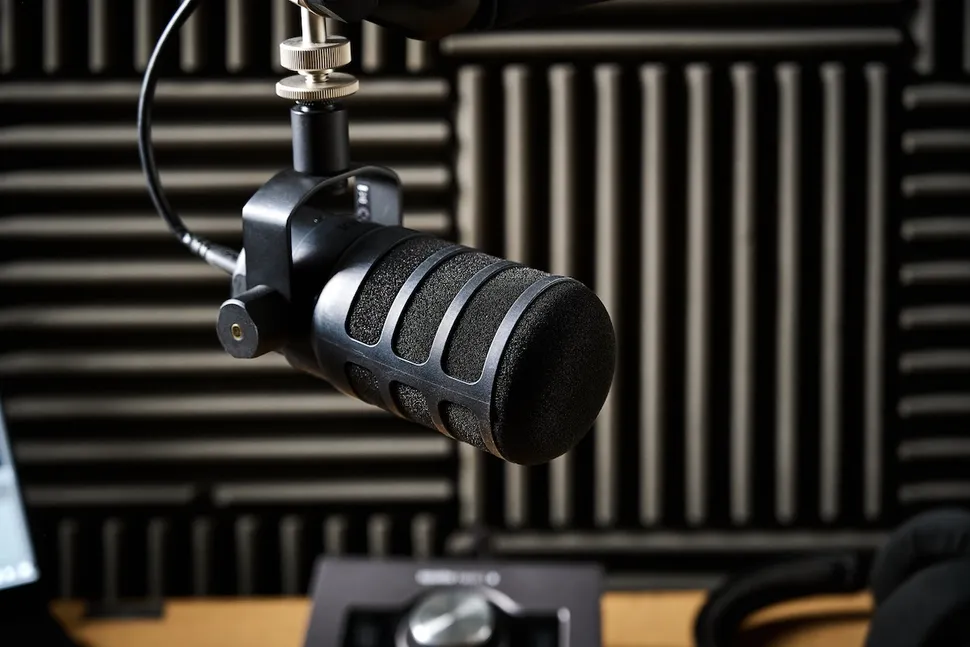
Buying a microphone becomes confusing when every product page treats more features as automatically better. The useful starting point is simpler: decide how the device will serve podcasting, streaming, video calls, music, voice-over, gaming, and field recording, then compare only the specifications that affect those jobs. Price still matters, but so do comfort, support, compatibility, and the cost of owning the product for several years. Shoppers who want more background can consult additional audio research, but the final decision should stay tied to real usage rather than hype.
Five Microphone Brands for Different Recording Needs
A practical comparison begins with USB vs XLR, pickup pattern, room noise, distance from mouth, interface need, mounting, and headphone monitoring. Those factors create a much clearer shortlist than sorting by the newest model or the biggest headline number. The five companies or buying channels below represent different approaches to the category. They are not ranked from best to worst; use them as reference points for matching features, support, and ownership tradeoffs to your own priorities.
1. Shure
Shure offers microphones for stage, broadcast, podcasting, and studio use, including well-known dynamic designs. Dynamic microphones can work well in untreated rooms because close placement helps reduce room sound, though they still need proper gain and positioning.
2. RØDE
RØDE covers USB microphones, XLR studio mics, wireless systems, and creator-focused audio gear. It is useful for buyers choosing between a simple USB desk setup and a more expandable recording chain with interfaces and multiple microphones.
3. Audio-Technica
Audio-Technica sells USB and XLR microphones for home recording, streaming, and studio use. It is a strong comparison brand for first-time buyers because it spans affordable condenser options as well as more specialized models.
4. Logitech G / Blue
Logitech’s Blue microphone heritage remains visible in creator and gaming products, especially USB desk microphones. These can be convenient for streamers and remote workers who want one-cable setup, built-in controls, and software processing without an external audio interface.
5. Elgato
Elgato offers microphones and audio accessories aimed at streamers and content creators. Its products fit neatly into desk-based setups with boom arms, lighting, and stream controls, though users should still prioritize room noise and microphone distance over software effects.
Match the Microphone to the Room Before the Voice
Before paying, write down the three tasks the microphone must handle well and the two frustrations you most want to avoid. That simple list keeps optional extras from becoming false requirements. Use recording setup resources as supplementary reading, then verify the exact model, warranty, compatibility, and return terms with the seller or manufacturer before checkout. If two options meet the same core need, prefer the one that is easier to own: simpler support, appropriate capacity, sensible accessories, and fewer compromises you will notice every day.
A second useful test is to compare the total setup rather than the product alone. Accessories, subscriptions, adapters, replacement parts, service plans, and future upgrades can change the real cost. Buying a slightly less ambitious device can be smarter if it avoids expensive add-ons or gives you a better fit for your routine.
Frequently Asked Questions
Should I buy a USB or XLR microphone?
USB is simpler because the microphone connects directly to the computer. XLR is more flexible for multi-mic setups, professional interfaces, and future upgrades. Beginners who only need one microphone often get better value from a good USB model and proper placement.
Why does my expensive microphone still sound bad?
Room reflections, keyboard noise, fan noise, distance, and poor gain settings can overwhelm the benefits of a better microphone. Move the mic closer, reduce background noise, use sensible levels, and improve the room before assuming the hardware is defective.
Do I need a condenser microphone for podcasting?
No. Condensers are sensitive and can capture detail, but they also capture more room sound. Dynamic microphones can be easier in untreated spaces. The best choice depends on voice distance, room acoustics, available gain, and whether you record multiple people.
Build the Recording Chain From the Room Outward
The strongest buying decision is the one you can explain in plain language: what problem the product solves, which features matter, and which features you deliberately ignored. Choose a microphone for your room and recording distance first; brand and studio reputation come after the physics. If you want another perspective before spending, microphone setup guidance can support your comparison, but the last check should always be your own workload, budget, and tolerance for compromise.