 By nDir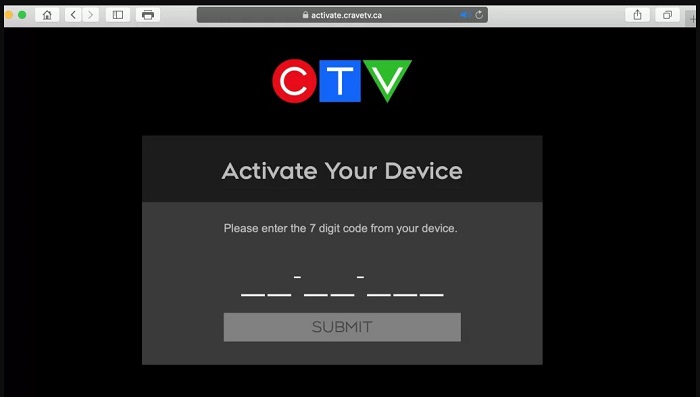
Activating the CTV app on a streaming device is a necessary step to watch live channels and on-demand content. The system uses a secure, code-based process to verify that you have an active subscription through a participating Canadian television provider. While the app generates the code for you, many users are unsure where to go to use it. This article clarifies the destination for your CTV.ca/activate code.
Generating the Code from Your Streaming Device
First, you need the app to give you a code. This is done from your television.
1. Install and open the CTV app from the app store on your smart TV, gaming console, or streaming stick (like a Chromecast or Roku).
2. Once the app is open, find the Sign In or Account section.
3. You will be presented with a unique, short activation code on your screen. This code is temporary and is used to identify your specific device during the login process.
The Official Activation Hub: ctv.ca/activate
No matter what device you are using—be it a Samsung TV, an Xbox, an Amazon Fire TV, or a Roku—the destination for your activation code is always the same.
On a separate device that has a web browser (your phone, a laptop, etc.), you must go to the official CTV activation website:
ctv.ca/activate
This is the central online hub where all device activations are managed. When you arrive at this page, you will find a clear and simple interface.
Read More – How to Activate TSN on Popular Streaming Devices Via tsn activate.
Entering the Code and Authenticating
Once you have navigated to ctv.ca/activate, the final steps are straightforward.
1. Locate the text box on the page that prompts for the activation code.
2. Carefully type the code from your TV screen into this box and click the “Activate” or “Submit” button.
3. Next, you must prove you are a subscriber. The site will ask you to select your TV service provider from a dropdown list.
4. After choosing your provider, you will be directed to that provider’s secure login portal. Sign in using your account credentials (the same ones you would use to pay your bill online).
5. After a successful login, a confirmation message will appear in your browser, and your device will be activated. The CTV app on your TV will automatically update to give you full access.
You May Also Like – General Steps to Activate Global TV Using watch.globaltv/activate.
By centralizing the process at ctv.ca/activate, CTV makes it simple to link any supported device to your account without needing to type long passwords with a TV remote.